Snap any menu. See every dish. Eat exactly what you want.
EATit turns a printed restaurant menu into a visual one, with a photo for every dish, and tells you which dishes fit the way you eat.

3-day free trial · iPhone
How it works
From a wall of text to a menu you can see
No QR code and no restaurant sign-up. EATit works on the menu that's already in front of you.
-
Snap
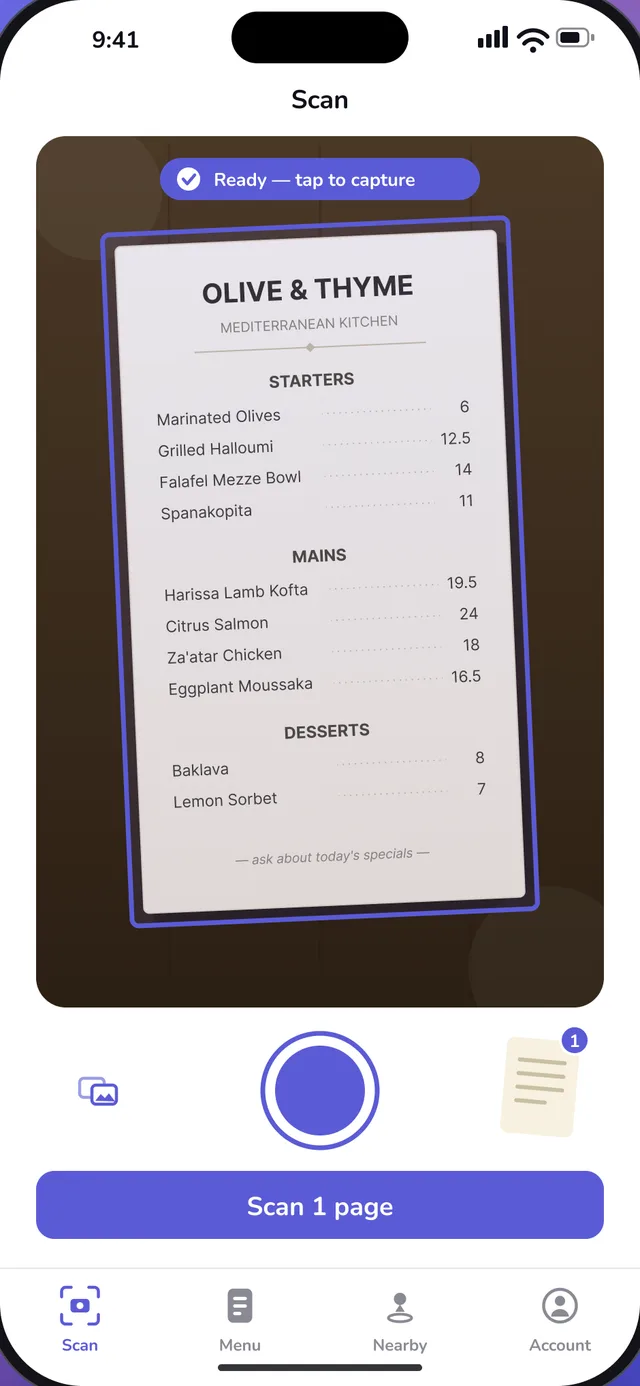
Point your camera at the menu. EATit finds the page edges and straightens the shot, one page or several.
-
See
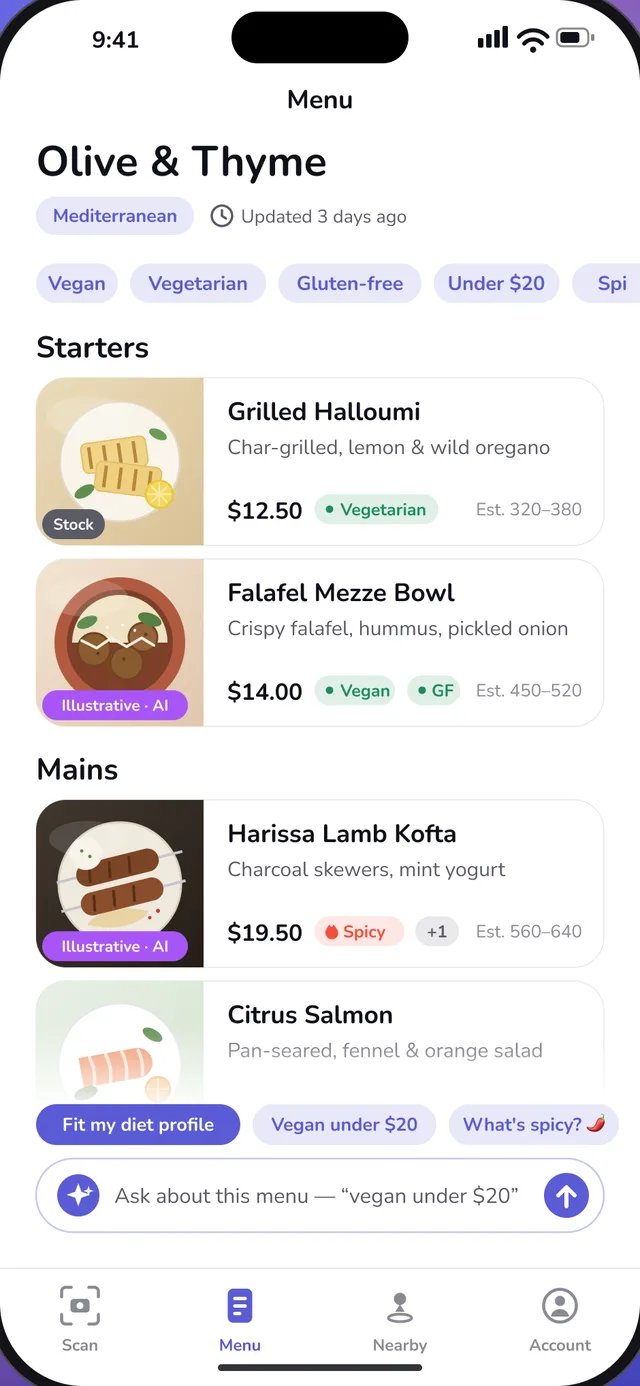
Every section and dish laid out cleanly, each with a photo, the price, diet tags and a calorie estimate.
-
Ask
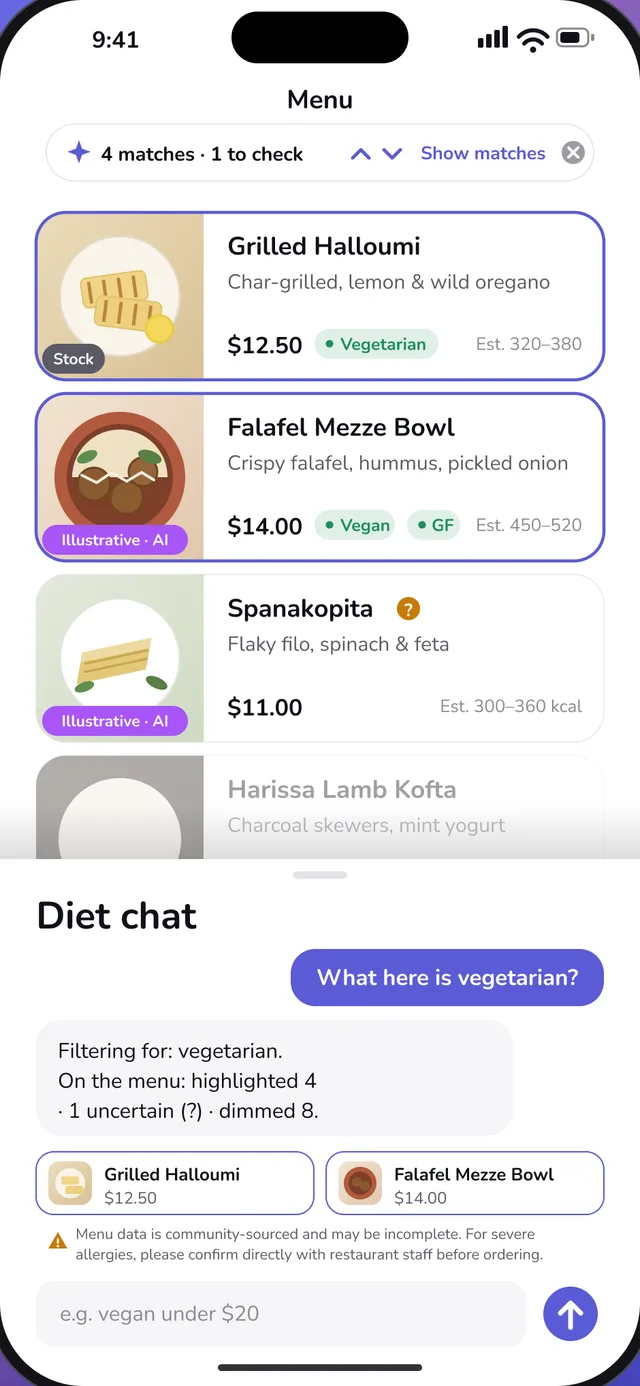
Ask what fits, like “vegan under $20” or “no dairy”, and the matching dishes light up on the menu.
Diet chat
Just ask the menu
Ask the way you'd ask a friend who knows the kitchen. EATit highlights what fits, dims what doesn't, and flags what it can't be sure about.
- What's vegan here?
- Anything spicy under $15?
- Which dishes have no dairy?
- Fit my diet profile
- Matches are highlighted right on the menu, and everything else is dimmed.
- Dishes with missing ingredient details get a “?”. EATit doesn't guess.
- Ask follow-up questions. The chat remembers the conversation.
Scanning
Works on paper, not just QR codes
Single pages, folded menus, multi-page binders. Snap them and EATit reads every section and dish.
- Finds the page edges and straightens the photo for you.
- Scan several pages into one menu.
- Already took a picture? Import it from your photo library.
- Every scan adds to a shared library of menus that other diners can open.
Your diet, saved
Set it once. Use it on every menu.
Tell EATit how you eat, then tap “Fit my diet profile” on any menu.
- Vegan
- Vegetarian
- Pescatarian
- Keto
- Low-carb
- Gluten-free
- Dairy-free
- Halal
- Kosher
You can also list ingredients you avoid, set how spicy you like it and add a price limit.
Honest photos
Every photo says where it came from
Each dish photo in EATit carries a label, so you always know whether you're looking at a stock photo or an illustration.
-
Stock
A licensed stock photo of the dish.
-
Stock · CC
A Creative Commons photo. Tap it to see the photographer and the licence.
-
Illustrative · AI
Generated by AI to represent the dish. The actual plating may differ.
-
From Restaurant
A photo published by the restaurant itself.
A word about allergies
EATit helps you narrow a menu down, but it can't see into the kitchen. Menu data may be incomplete, so diet and allergy answers are always estimates, and EATit never says a dish is safe for an allergy.
If you have a serious allergy, always confirm with restaurant staff before you order. Read the Allergy Disclaimer.
Pricing
Try EATit Pro free for 3 days
Scanning menus and diet chat are part of EATit Pro. Start with a free trial and cancel anytime.
-
3-day free trial
Monthly
$4.99/month
Billed monthly after the trial
-
Annual
$29.99/year
Billed once a year
-
Lifetime
$39.99
Pay once, no renewal
US prices. The App Store shows the price for your country before you buy. Payment is charged to your Apple Account. Subscriptions renew automatically unless cancelled at least 24 hours before the end of the current period; manage or cancel them in your Apple Account settings. The free trial is for eligible new subscribers to the monthly plan. See the Terms of Service.
FAQ
Questions
Is EATit free?
EATit is free to download. Scanning menus and diet chat need EATit Pro, which starts with a 3-day free trial for eligible new subscribers.
What kinds of menus work?
Printed restaurant menus: single pages, folded menus and multi-page menus. You can also import a photo of a menu from your library. A clear, well-lit photo gives the best result.
Where do the dish photos come from?
From licensed stock libraries, Creative Commons collections and restaurants. When no photo fits, EATit generates an illustration with AI. Every photo is labelled with its source.
Can I rely on EATit for allergies?
No app can promise that. EATit's diet and allergy answers are estimates based on the menu text. If you have a serious allergy, always confirm with restaurant staff before ordering.
Is there an Android version?
Not yet. EATit is available for iPhone running iOS 17 or later.
How do I cancel my subscription?
Open Account → Manage Subscription in the app, or Settings → Apple Account → Subscriptions on your iPhone. More help is on the Support page.
What happens to my data?
The Privacy Policy explains what we collect and why. You can delete your account and its data at any time from Account → Delete Account in the app.
Your next menu, in pictures
Download EATit and start your free trial.